- Tool Sherpa AI
- Posts
- Your Inbox Isn’t Customer Service
Your Inbox Isn’t Customer Service
Build boundaries, train clients, and look calm doing it


Tool Sherpa AI Team & Lisa Plendl
27 Jan

✏️ Your clients didn’t suddenly get needier. They just figured out you’re reachable, and decided to test the theory with “quick questions” at 9:47pm. Congratulations, you’ve been promoted to on-call.
This week’s focus: The hidden cost of being too available, and how to quietly take back control. We’re reframing Slack (carefully), introducing a calmer shared inbox, and showing how fewer replies can actually make you look more professional. (3-minute read)
🔦 Week’s Highlights
Tool Spotlight: Tap Slack to set client boundaries. Grab Help Scout to politely guard your inbox.
Sherpa’s Shortcuts: One Slack “parking lot” for stray ideas, one auto-reply to end midnight pings.
Sherpa’s Pack: Grab Craft’s freelancer templates and make boundaries look official.
The Ridgeline (news): Gmail redeems itself, and freelancers turn expertise into income.
Tools Gone Wild: The calmest freelancers set boundaries first.
⛰️ Summit wisdom:
“Silence is a luxury service. Price it that way.”
—The Sherpa Whisperer
AI tool spotlight:
Tool Sherpa explores the flood of new AI apps and carefully selects only proven tools.

Source: Slack website. Use client channels to set and enforce boundaries.
🔍 Slack (reframed as a boundary builder):
Why it matters:
Client messages don’t belong in your inbox at 10 p.m.—or 6 a.m.—or in five different apps. Slack gathers client convos, files, and quick decisions in one calm thread instead of endless emails. Set office-hour automations, create project update channels, and reclaim your mental recess.
Who’s it for
• Freelancers juggling multiple clients who treat DMs like open mic night
• Solopreneurs trying to centralize feedback, questions, and files
• Anyone who wants to stay accessible, without being available 24/7
Best use case:
Use one channel per client or project. Pin deliverables, set clear hours, and direct random thoughts to a “parking lot” thread for later. Clients learn structure by example—and you finally graduate from chaos.
Pros:
Organized threads, pinned files, and status automation create healthy friction (the good kind). Instant context beats “per my last email.”
Cons:
Slack can sprawl if you let it. Keep channels lean, notifications off after hours, and your sanity on top.
Pricing:
Free tier available; paid from $8.75/month.
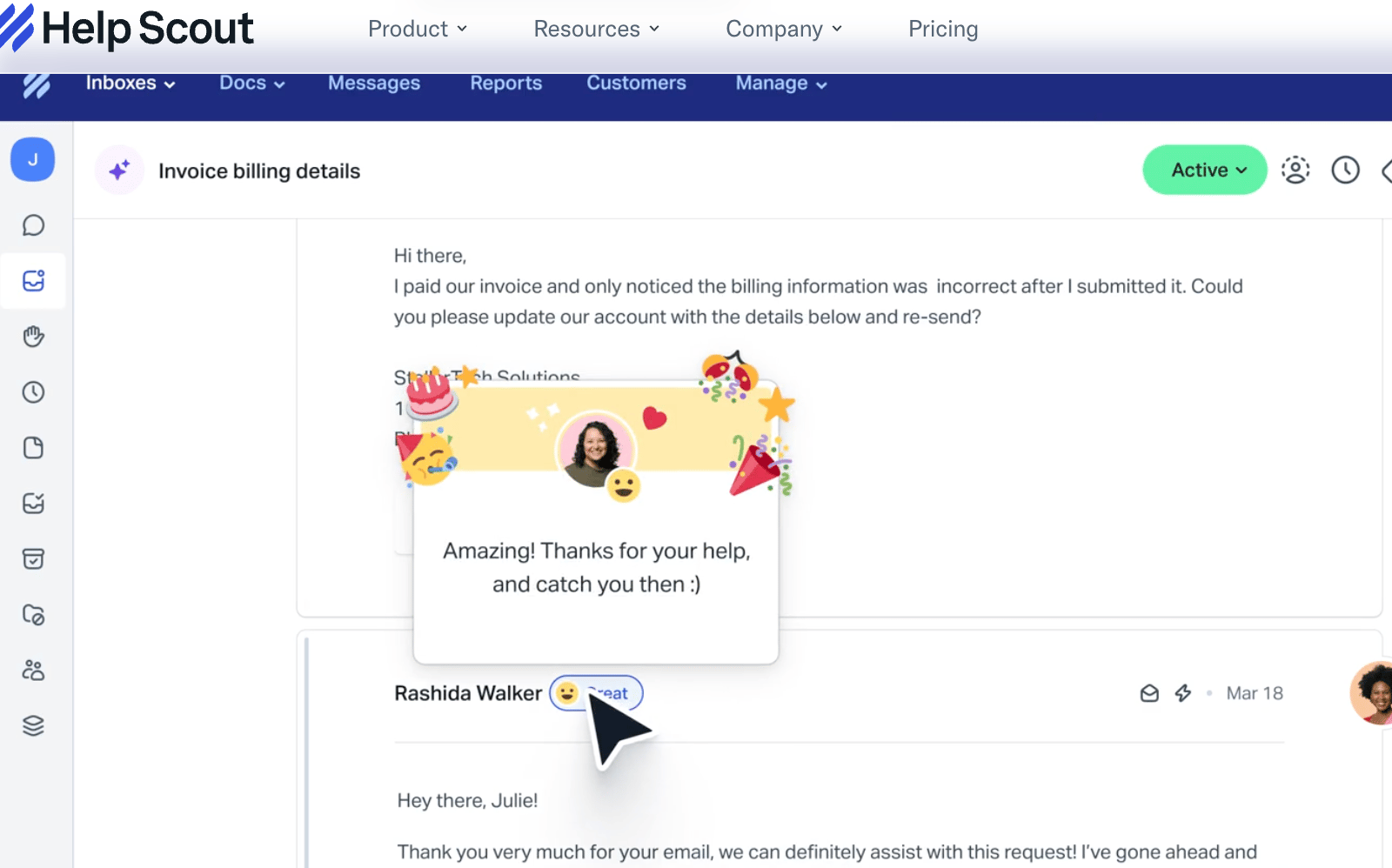
Source: Help Scout website. Human-sounding automation for better boundaries & client maintenance.
🔍 Help Scout: The polite inbox bouncer
Why it matters:
Your inbox shouldn’t double as customer service. Help Scout gives you shared inbox superpowers—organizing client emails by project, tagging conversations, and sending automated yet human replies. It’s Gmail, if Gmail had manners and boundaries.
Who’s it for
• Freelancers managing multiple client threads who crave calm
• Solopreneurs who want automation without sounding like a bot
• Anyone who likes their email polite, punctual, and quietly powerful
Best use case:
Use Help Scout to triage client emails, auto-tag by project, and send friendly “we got it” responses. Clients feel cared for while you stay in control—and off the 24/7 treadmill.
Pros:
Feels personal while running on rails. Built-in automations, smart tags, and collision detection make your inbox feel like a team, even when it’s just you.
Cons:
More structure than Gmail, so there’s a small learning curve. You’ll thank yourself in a week.
Pricing:
15-day free trial. Paid starts at $20/month.
Disclaimer: Some links may earn us a small commission, but they never affect what we recommend.
Sherpa’s shortcuts 🪓
Sherpa-approved hacks to streamline your workflow in today’s most popular AI apps.

Source: Salesforce. Use you Slack channel to setup a client suggestion box.
⚡ Hack #1: The Slack parking lot thread
Problem:
Clients drop stray ideas mid-project, most prefaced with “this might be random.” Suddenly, you’re babysitting every thought they’ve ever had about typography.
Solution:
Create a #parking-lot channel in Slack for all the “not now, maybe later” ideas. It says we hear you, without saying we’ll do it now.
How to do it:
Create one
#parking-lotchannel per project.Pin this message:
“Welcome to the Parking Lot 🅿️ — drop ideas we’ll revisit after this phase. Nothing’s lost, just parked.”Review weekly. Move what matters; let the rest quietly expire.
Bonus: Let clients upvote ideas with emoji. (Democracy, but with fewer meetings.)
💡 Sherpa Tip:
Boundaries disguised as organization are still boundaries.

Source: Microsoft. Train your clients gently about available office hour requests..
.
⚡ Hack #2: The polite “office hours” auto-reply
Problem:
Clients assume you’re available whenever Gmail loads. Midnight pings, Saturday “quick thoughts,” and 7 a.m. “circling backs” start blending into one long, caffeinated day.
Solution:
Set up a simple after-hours auto-reply that gently posts your office hours and next response window. You stay professional, not permanently online.
How to do it:
In Gmail, Outlook, or Help Scout, enable automatic replies after hours.
Try this message:
“Hey there—thanks for the note. My office hours are 9–5 PT, Mon–Fri. Your message is safe and sound. If it’s urgent, include URGENT in the subject (though most things aren’t).”Add a booking link to get them on your calendar for true emergencies (paid or short slots only).
💡 Sherpa Tip:
Availability isn’t service—it’s strategy.
🏔 Sherpa’s Pack
Free stuff to help freelancers get an edge.

Your decks aren’t the only thing that deserve polish. Craft’s free freelancer templates—briefs, notes, and project outlines—make you look organized, not overworked. Boundaries feel fancier in writing.
The Ridgeline news🏔️
The latest on how AI is rewriting the rules for solopreneurs and small teams.

Source: ChatGPT. Hands-off productivity with ever-evolving smart glasses.
Let’s trek:
💸 Expertise, productized: Five ChatGPT prompts turned lived experience into high-ticket offers—no bloated courses, no fake urgency, no funnel cosplay. 🔗 Steal the prompts
🏠 ChatGPT as homepage: Nearly 3 in 4 subscribers now open ChatGPT before Google. Search didn’t vanish—it got quietly leapfrogged. 🔗 See what’s shifting
📥 Gmail fixes the worst part: Google finally patched one of email’s most irritating friction points. Fewer clicks, less muttering, modest joy. 🔗 Upgrade your inbox
👓 Smart glasses, normalized: This quick review shows AI glasses in daily use—less sci-fi flex, more practical assistant. The uncanny phase is ending. 🔗 Watch the review
🌍 Translate, but smarter: ChatGPT vs. Google Translate comes down to nuance. One swaps words. The other understands intent. 🔗 See the comparison
☕ Final Sip:
AI didn’t explode onto the scene. It settled in, fixed small annoyances, and started behaving like infrastructure.
###
Tools gone wild! 😜
Let’s end with a laugh — when AI tools take a detour off the happy path.

Source: ChatGPT. “Quiet, I’m recharging this evening…”
🛠️ How pros build better client relationships
Veteran freelancer Bryan Collins knows client chaos firsthand. His fix? Structure. In his Entrepreneur piece, he explains how pros set boundaries early—defining scope, timelines, and check-ins before the first deliverable lands. The goal isn’t control; it’s calm. Use tools & tips to achieve that zen.
📌 Lesson learned: Clear expectations don’t limit great work—they earn the trust that makes it possible.
🧭 What’s Next?
We’ll be back next week with more AI tricks to help you work less, earn more, and look good doing it. Until then, don’t stop at one trail—check out our back issues for tools, hacks, and freelancer wisdom you might’ve missed:
👉 toolsherpaai.beehiiv.com
—Your Sherpa team 🏔️