- Tool Sherpa AI
- Posts
- 🌀 Stop the revision spiral
🌀 Stop the revision spiral
AI to keep clients from wandering off-script


Tool Sherpa AI Team & Lisa Plendl
02 Dec

✏️Clients swear they “won’t need many changes,” then drop requests that sound like riddles missing whole chapters. You nod, smile, and feel the rewrite vortex humming in the background.
This week’s focus: stop the revision spiral before it starts. One tool to clean any messy brief, one tool to lock scope across projects, and two Sherpa shortcuts to land first drafts, mockups, concepts—or whatever you deliver—closer to “approved” than “oh hmm, can we tweak?” (3-minute read).
🔦 Week’s highlights:
Tool Spotlight: Bearly turns messy client files into clean briefs; Coda keeps scope, approvals, and versions from slipping into revision purgatory.
Sherpa’s Shortcuts: Two tiny alignment tricks that stop rewrites before they hatch.
Sherpa’s Pack (freebie): 10 gratis project-brief templates that keep clients from describing deliverables like folklore.
The Ridgeline news: LinkedIn freelancers are charging more, and “approved on first pass” apparently exists.
😝 Tools Gone Wild: A red pen retires early after a client says “no edits.”
⛰️ Summit wisdom:
“Draft in clarity, revise in calm, deliver in truth — and the client’s pen will stay holstered.”
—The Sherpa Whisperer
AI tool spotlight:
Tool Sherpa explores the flood of new AI apps and carefully selects only proven tools.

Source: Bearly website. Jumpstart project focus with clean outlines, summaries & quotes.
🔍 Bearly: your fast-prep research engine
Why it matters:
Most rewrites start with a client doc that’s technically words… just not arranged in any helpful order. Bearly might be a full all-in-one AI suite now (agents, multimodal tools, enterprise security), but freelancers keep coming back for one thing: drop in a messy file and Bearly instantly provides a clean summary, outline, and key quotes. Start projects fast without wandering through the weeds.
Who it’s for
Freelancers who receive lots of PDFs
Writers, marketers, and designers who want clarity before creation
Anyone allergic to “quick thoughts below…” emails
Best use case:
Turn a bloated doc or chaotic brief into a clean outline, structured notes, and fact-checked foundations before you draft. Your first pass lands straighter, tighter, and far less likely to trigger “one small tweak” season.
Pros:
Can cut 2+ hours of prep per project by turning monster docs into readable, usable direction. Fastest way to align without manually spelunking through client files.
Cons:
Caveat: IF the source is chaos, the output will be… organized chaos (good).
Pricing:
Free plan available. Paid from ~$20/month.
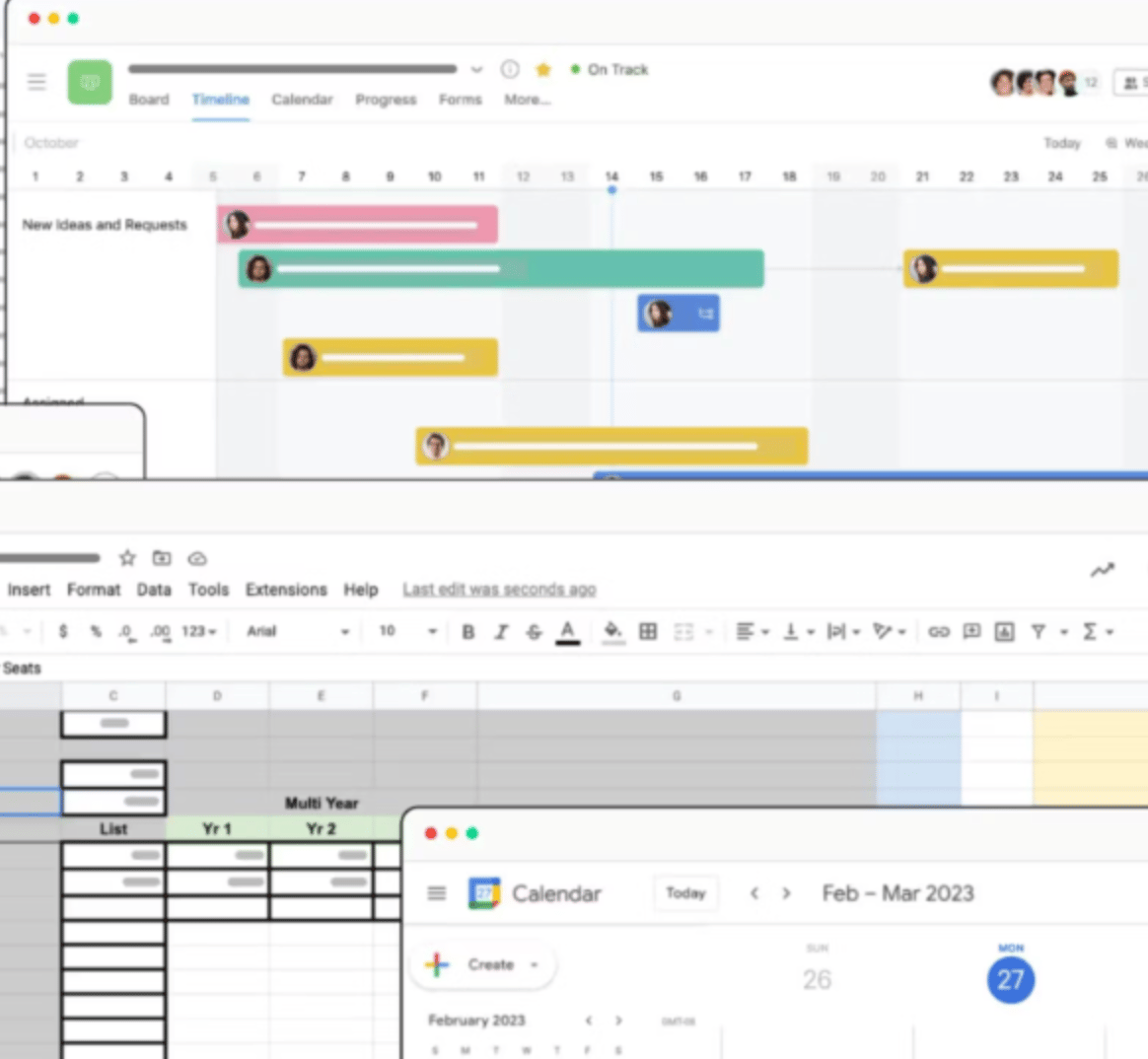
Source: Coda website. Set up your project hub with ease.
🔍 Coda: your clarity-and-scope command center
Why it matters:
Revisions don’t come from bad work, they come from murky briefs and slippery memories. Coda corrals all those emails, notes, and “one more thing” messages into one clean project hub. You stay organized on your side; clients get a simple view-only link without touching the tool. Less chaos in = fewer edits out.
Who it’s for
Freelancers juggling multiple clients with shifting asks
Creators who need a flexible place to structure projects
Anyone tired of scrolling for that “one detail” buried in an email
Best use case:
A lightweight project hub you reuse every time: one page each for goals, deliverables, revisions, and approvals. Share it as a view-only link (no login needed) so clients see the plan without ever learning the app.
Pros:
Replaces docs, sheets, task lists, and inbox archaeology with a single source of truth. Prevents scope creep. Aligns clients early. Can cut revision loops by 1–2 rounds on many projects.
Cons:
First template takes a while to set up (but pays for itself every time).
Pricing:
Free plan available. Paid from ~$12/month (free for editors).
Disclaimer: Some links may earn us a small commission at no expense to users.
Sherpa’s shortcuts 🪓
Sherpa-approved hacks to streamline your workflow in today’s most popular AI apps.

Source: Google website. After sending alignment bullets, create a template in Google docs.
⚡ Hack #1: the preflight agreement paragraph
Problem: Clients hand you a brief that reads like a dream journal, then act stunned when Draft 1 doesn’t match the version they imagined. Cue rewrites, clarifications…and the slow erosion of your will to live.
Solution: Add a tiny alignment lock atop your draft before sending, one paragraph that says, “Here’s exactly what I’m delivering.”
Write 3–5 bullets that capture the angle, audience, scope, and must-include details.
Add a short note above them:
“Before writing, I confirmed the plan below. Let me know if anything needs adjusting.”Paste it at the top of your draft.
Send confidently into the world.
💡 Sherpa tip: This isn’t a disclaimer. It’s a clarity spell. Clients love clarity. Chaos hates it. And chaos doesn’t get a vote.
⚡ Hack #2: the alignment mini-brief (meeting edition)
Problem: Verbal requests are chaos in business-casual clothing. Clients talk fast, ideas collide, and two weeks later everyone remembers a completely different project. That’s how rewrites are born.
Solution: Turn your meeting notes into a clean, undeniable mini-brief before you draft anything. It’s the fastest way to lock the plan without replaying the whole call.
Paste your meeting notes or transcript into your AI assistant.
Ask:
“Summarize this into a 6-bullet mini-brief: goal, audience, tone, scope, must-include details, potential risks (etc). Keep only what the client actually committed to.”Send it back to the client:
“Here’s what I captured — confirm this is the direction before I start?”Wait for the blessed “Looks good!” and write with confidence.
💡 Sherpa tip: If the client adds new details after this step, that’s not a rewrite — that’s an update. Updates have prices.
🏔 Sherpa’s Pack
Free stuff to help freelancers get an edge.

Client briefs shouldn’t feel like escape-room clues. ClickUp hands you 10 clean, civilized templates for writers, designers, marketers, and anyone exhausted by “quick thoughts below…” emails. Clear scope, clear goals, fewer plot twists.
The Ridgeline news🏔️
The latest on how AI is rewriting the rules for solopreneurs and small teams.

Source: Tool Sherpa AI. Consulting on the side…
📈 Charge up: Do your freelance skills lend themselves to a consulting side gig? Forbes dropped prompts that help you bill $2,000/hr. 🔗 Steal the prompts
💵 Earn more: Yahoo found freelancers using AI pulled higher rates and landed steadier work. Basically, the robots are your raise—use them. 🔗 See the numbers
🎙️ New voice: ChatGPT’s new voice feature is smooth enough to handle brainstorming, drafting, and pep talks. 🔗 Hear the upgrade
🌐 Best browser: PCMag crowned a winner based on five top browsers. 🔗 Pick your winner
🤳 Spot AI slop: NPR’s fake-video quiz fooled most people. Apparently we can’t tell reality from AI. 🔗 Try the quiz
☕ Final sip:
AI isn’t replacing you—it’s quietly cleaning up the chaos you definitely didn’t create.
###
Tools gone wild! 😜 (Success edition)
Let’s end with a laugh — when AI tools take a detour off the happy path.

Source: Tool Sherpa AI. Give your client’s red pen a holiday….
AI launch with no rewrites (yes, really)
A marketing team used an AI tool called Dreamwriter to build an entire SaaS launch campaign in two days: deck, brochure, emails, social posts, the whole buffet. The wild part? The client approved 92% on the first pass. Almost no edits. No midnight notes. No “circling back.”
When the brief is airtight and the voice locked, AI behaves like a polite intern.
📌 Lesson learned: A clean brief saves more hours than a clever prompt—and sometimes, AI surprises you by not setting something on fire.
🧭 What’s Next?
If this saved you a rewrite (or six), pass it to a freelancer who deserves a saner workweek — or subscribe to Tool Sherpa AI and climb with the crew. See you next time.
—Your Sherpa team 🏔️