- Tool Sherpa AI
- Posts
- 🧹 Your new 4-hour (or less) admin week
🧹 Your new 4-hour (or less) admin week
Shrink unpaid work with AI that sorts, preps, and organizes


Tool Sherpa AI Team & Lisa Plendl
25 Nov

Your admin week isn’t long. It just feels that way because half your tasks are invisible—like naming files, chasing assets, decoding client emails, and pretending you remember where “Final_v7_REALfinal” went. AI can shave that mess down… if you point it at the right mess.
This week’s focus: build your 4-hour admin week with AI that actually lightens the load instead of inventing new chores. Three tools. Two shortcuts. A little magic.
We’ve handpicked tools, tips, and a little humor to help lighten your load. (3-minute read).
🔦 Week’s highlights:
Tool Spotlight: Toggl Track shows where hours vanish; Lili handles your financial gremlins.
Sherpa’s Shortcuts: Missive sorts client chaos; AI templates let you start every deliverable at mile five.
The Ridgeline news: Gemini rolls out to “wow” reviews, and AI spices up holiday cards by hallucinating fake families.
😝 Tools Gone Wild: An AI confidently summarized a folder containing absolutely….nothing.
⛰️ Summit wisdom:
“Your hours are sacred. Guard them like a monk with a really good Wi-Fi connection.”
—The Sherpa Whisperer
AI tool spotlight:
Tool Sherpa explores the flood of new AI apps and carefully selects only proven tools.

Source: Toggl Track website: Create reports that reveal your time “leaks.”
🔍 Toggl Track: Spot the time leaks before they eat your profit
Why it matters:
Admin doesn’t just take time — it steals it quietly. Those “quick tweaks,” surprise client calls, and stealth revisions add up, and suddenly your Friday is gone. Toggl Track exposes the leaks by auto-detecting where your hours go, shows your underpriced projects, and gives you receipts for boundary-setting. Less guessing, more earning.
Best use case:
Toggl Track auto-tracks your apps, writing time, email time, and revision loops. The report shows exactly where your admin is hiding, and what to fix first. It’s like having X-ray vision for your billables.
Who it’s for:
Freelancers juggling multiple clients and inconsistent scopes
Marketers and creators who bounce between platforms all day
Small teams that need clean client reporting without a spreadsheet meltdown
Pros:
Shows where time silently evaporates with zero manual entry. Clear reports help you fix pricing, scope creep, and workload planning (and let you show clients the data when beneficial).
Cons:
Not a project manager — just a brutally honest time mirror. The first report might make you gasp. (That’s normal.)
Pricing:
Free plan available. Paid starts sat $9/month.
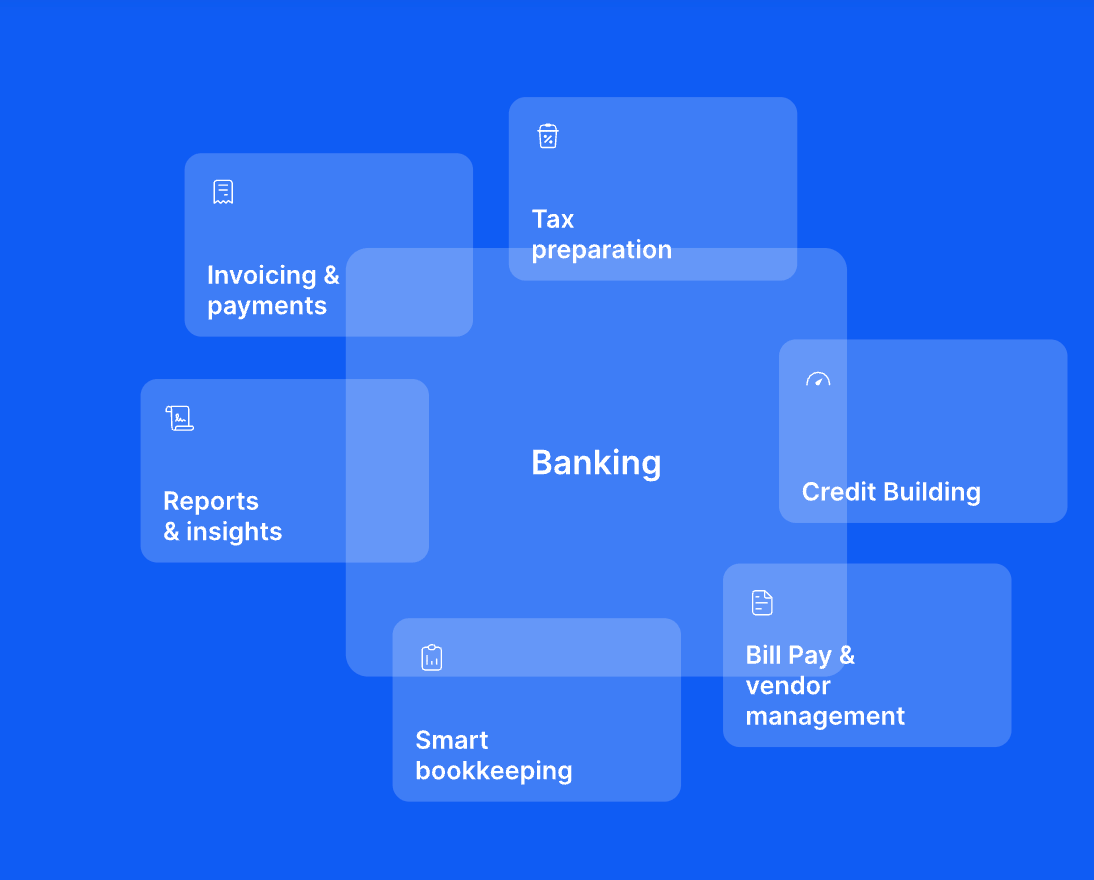
Source: Lili website. Automatically track write-offs and organize expenses.
🔍 Lili: Reclaim hours sorting expenses.
Why it matters:
Freelancers lose hours sorting expenses and guessing their tax bite. Lili fixes that by auto-categorizing everything, and tracking write-offs to reveal your real tax number before panic sets in. It’s a bookkeeper who never judges your DoorDash bill.
Best use case:
Turn on automatic tax buckets, link your business card, and let Lili sort spending while you sleep. Next time a client pays, you’ll know exactly what gets safely quarantined for tax season.
Who it’s for:
Freelancers who want fewer spreadsheets and more sanity
Creators juggling unpredictable income
Small teams that want clean books without hiring a bookkeeper
Pros:
Auto-categorizes expenses the moment they hit your account, and real-time tax estimates mean no April surprises. Quarterly payments feel like routine maintenance.
Cons:
Best for U.S.-based freelancers. May reveal how many subscriptions you accidentally signed up for during “research.”
Pricing:
Free option available. Premium starts at $9/month.
👉 Try Lili
Disclaimer: Some links may earn us a small commission, but they never affect what we recommend.
Sherpa’s shortcuts 🪓
Sherpa-approved hacks to streamline your workflow in today’s most popular AI apps.
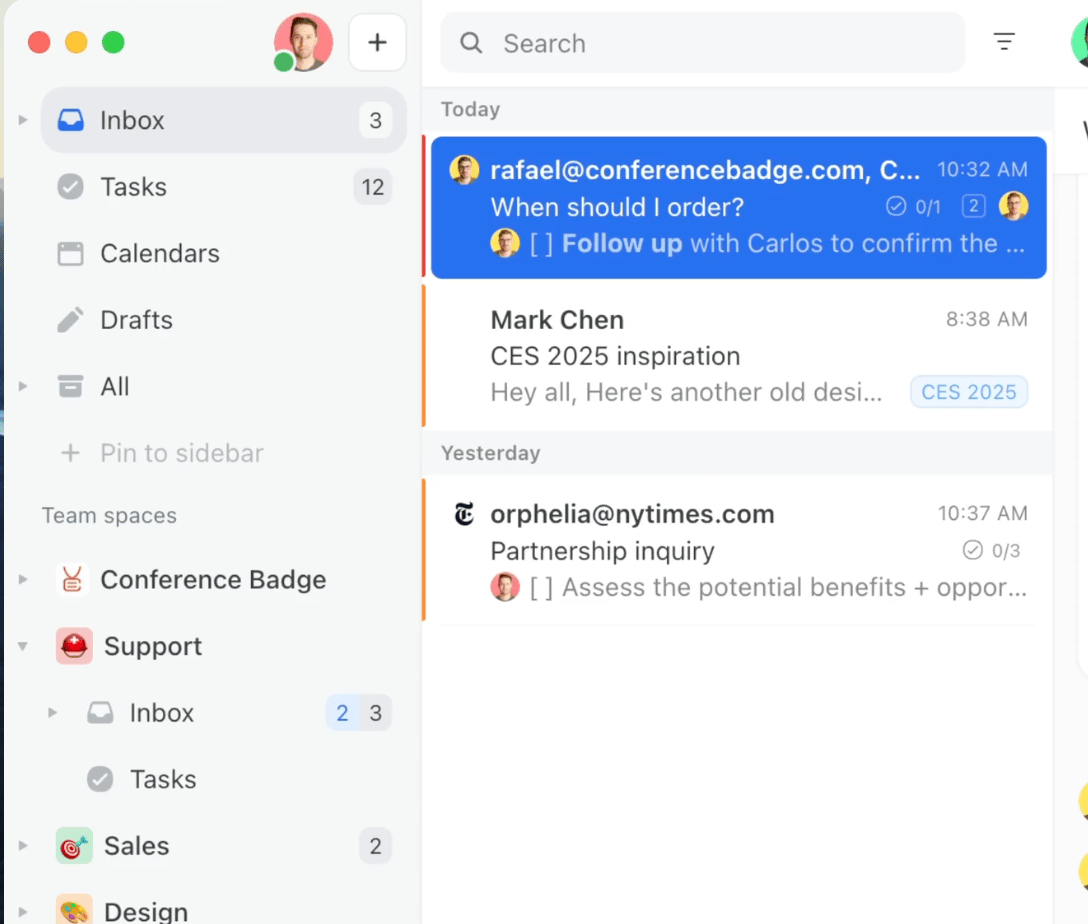
⚡ Hack #1: Missive’s auto-sorting brain
Problem: Your inbox behaves like a feral archive. Client updates mix with promos, assets hide under receipts, and every “quick question” steals 12 minutes of sanity. No path to a 4-hour admin week runs through an inbox like that.
Solution:
Turn Missive into your invisible email assistant. One rule. Zero drama. Inbox separates everything into the correct box. You win back an hour.
Set it up:
Create a rule in Missive called “Admin Killer”
Filter: all emails from active clients. Actions:
• Auto-label by client name
• Auto-assign the threadAuto-convert related client trigger phrases (“updated draft,” “attached,” “quick revision”) into “tasks”
If the email includes an attachment → auto-file it into the client’s asset folder
Your inbox becomes a self-cleaning workspace. No dragging. No hunting. No “Did they send that file?”Just clean lanes and a smaller admin week.
Pricing: Free plan available; paid plans start at $18/month.
💡 Sherpa Tip: Use different labels for clients and deliverables (“Client A – Drafts,” “Client A – Assets”) to stop big projects from turning your inbox into abstract art.

Source: Claude AI website. Create quick templates that save busy work.
⚡ Hack #2: The AI deliverable prepper
Problem: You burn real hours building the structure of every deliverable: outlines, calendars, briefs, content plans, ad scripts. By the time the template is ready, your energy has left the chat.
Solution:
Let AI scaffold the whole thing so you start at mile five, not mile zero. Paste this into your favorite AI, or Notion AI:
“Create a clean template for a [deliverable type] that includes the sections clients expect, the questions I need answered, formatting best practices, and a final review checklist.”
How to use it:
Create one template per deliverable you ship often (case study, content calendar, ad script, email sequence).
Save each to your library or Notion workspace.
Next time a client asks for something, duplicate → fill → send.
Your admin shrinks, your drafts tighten, and your work starts at “structured and clear” instead of “let me rebuild the wheel again.”
💡 Sherpa Tip: Add a “missing info” section to each template. Clients fill gaps faster when the questions are staring back at them.
👉 Build your next template in Google Gemini, ChatGPT, or Claude
The Ridgeline news🏔️
The latest on how AI is rewriting the rules for solopreneurs and small teams.

Source: Tool Sherpa AI. “This is your AI captain speaking: Come fly with me…”
Let’s trek:
🤖 Gemini got upgrades: Google rolled Gemini 3 AI chatbox last week to rave reviews. Here’s five neat tricks to make the most of the new model. 🔗 Read the rundown
📣 AI’s charm offensive: ChatGPT launched its own browser, Atlas, which feels half helpful guide, half digital hall monitor. 🔗 See the reveal
📨 Gmail drew a boundary: Google insists you Gmail emails aren’t training AI. Good news if you’d prefer your inbox chaos not be used as a case study in “emotional resilience.” 🔗 Read the statement
🏆 Six steps to freelancer wins: Six steps to get what you want in business: small, doable moves that fit between client deadlines and life chaos.🔗 Skim the guide
🎄 AI invented a whole fake family: A CNET writer tried making a AI holiday card, and the bot couldn’t stop adding a fake family.
🔗 See the chaos
☕ Final sip:
AI keeps getting sharper, but the real magic is knowing when to use it, versus listening to your own instincts.
Tools gone wild! 😜
Let’s end with a laugh — when AI tools take a detour off the happy path.

Source Tool Sherpa AI. Always have a healthy skepticism toward AI oracles.
A freelancer tried to save time by uploading a client folder to an AI assistant for a quick summary. The AI returned a confident, detailed recap of the “Q3 campaign strategy,” “customer insights,” and “hero asset lineup.” Just one small problem:
The folder was completely empty. Not a single file inside.
📌 Lesson learned:
AI is great at cutting your admin time — but it will happily summarize a ghost town.
Always peek in the folder before believing the oracle!
🧭 What’s Next?
More tools, fewer headaches, and one smart shortcut to shave time off your week. Know someone who’d benefit from Tool Sherpa AI? 👉 Send them our way.
—Your Sherpa team 🏔️